
Philia ADMR is the digital portal used by the ADMR network to organize home assistance interventions. Accessible from a web browser, this software centralizes schedules, beneficiary files, and hour tracking. For a new recruit, getting started can be confusing: the interface includes several workspaces, nested menus, and varying access rights depending on the assigned profile.
Philia ADMR and the intervenor-sector manager duo: what changes on a daily basis
For someone just starting out, the main challenge is understanding how Philia restructures communication between the field intervenor and the sector manager in the office.
Before the widespread adoption of the software, coordination relied heavily on SMS, phone calls, and shared Excel spreadsheets. A feedback report published in August 2026 precisely describes this shift: Philia replaces back-and-forth SMS and Excel files for managing schedules and time tracking. The time savings are described as “real,” but contingent on a good mastery of time tracking corrections and access rights configuration.
In a typical week, the sector manager reviews the time entries submitted by the intervenors, corrects anomalies (missed entries, shifted hours), and adjusts schedules based on urgent needs. The intervenor, for their part, finds their updated tasks without waiting for a call or message. This coordination loop works as long as everyone regularly enters their data.
A user guide for the Philia ADMR software details the basic steps to enter this shared work logic from the very first weeks.

Time tracking corrections and access rights on Philia: the pitfalls of getting started
Time tracking is the crux of the matter on Philia. Each intervention must be timestamped, and discrepancies between the scheduled time and the actual time generate alerts that the sector manager must address.
For a beginner, two difficulties frequently arise:
- Time tracking corrections are not accessible to all profiles. Depending on the level of rights assigned by the local administrator, an intervenor may only be able to view their schedule without being able to report an error directly in the tool. They will then have to go through their sector manager.
- The configuration of access rights varies from one ADMR association to another. Two employees holding the same position in two different federations may have very different permissions on Philia.
- Confidentiality rules strictly govern access to beneficiary files. An intervenor can only see the files of the individuals they assist, not the entire portfolio of the association.
This granularity of rights protects the personal data of beneficiaries, but it can confuse new recruits who cannot find certain information that a more experienced colleague seems to access without difficulty. The answer almost always lies in the profile configured in Philia, not a technical malfunction.
Data protection and cybersecurity: what Philia requires from users
The ADMR network handles health data and sensitive personal information (addresses, medical conditions, contact details of relatives). Regulatory constraints on data protection directly apply to the daily use of Philia.
Each user receives personal identifiers that must not be shared. This point, often seen as a formality, has concrete consequences: if an intervenor uses a colleague’s identifiers to “speed things up,” any changes to the schedule or time tracking will be attributed to the wrong account. In case of a dispute over billed hours, traceability becomes unusable.
At the European level, the Cyber Resilience Act strengthens security obligations for digital tools used in personal services. Feedback from the field varies on the degree of adaptation already made by local ADMR federations, but the trend is towards tightening password policies and automatic logout procedures.
Best practices from the first week
Upon first login, the temporary password provided by the IT referent must be changed immediately. Philia generally requires a format combining letters, numbers, and special characters. Note it in a secure place (not on a sticky note stuck to the screen, a situation still common in the field).
Logging out at the end of a session remains a habit to acquire. On a shared workstation in an association office, an open session exposes the data of all beneficiaries in the sector.
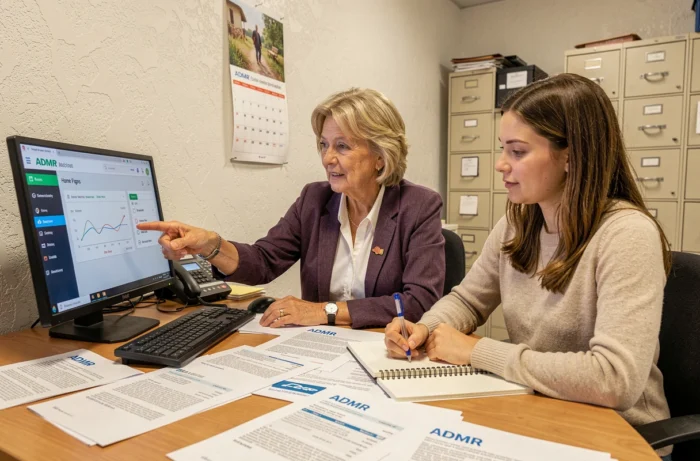
Philia ADMR updates: navigating an evolving interface
Philia is not a static software. Mentions of successive versions circulate among users, including a recently mentioned version 10.11.11.0. These version numbers are not always officially communicated to all employees, which creates confusion when the interface changes without apparent notice.
An update may move a button, modify a menu structure, or add a mandatory field in a time tracking form. For a beginner who has just memorized the navigation, this can be disorienting. A useful reflex: check with your sector manager if an update has been deployed before concluding that there is a bug.
The IT services of the ADMR federations are the only ones who can confirm the exact version deployed locally. The available data does not allow for a reliable schedule of upcoming updates.
Philia ADMR beyond the tool: a change in organization
Starting with Philia is not just about learning to click in the right places. It is about integrating a coordination mode where each entry feeds into the work of a downstream colleague. The intervenor who accurately tracks their hours facilitates the billing process. The sector manager who updates schedules in real-time avoids unnecessary trips.
Mastering the software conditions the fluidity of the entire home assistance chain. The first weeks of use require patience, but the habits acquired at this stage determine the quality of follow-up in the long term.