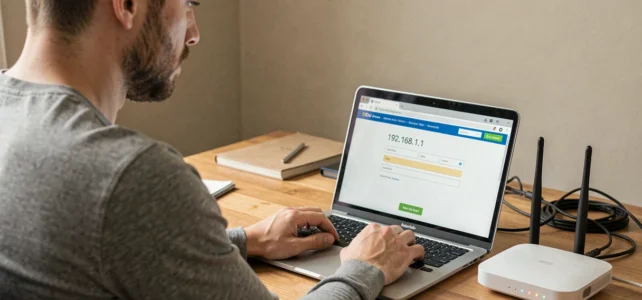
The address 192.168.1.1 is a private IP address assigned by default to most routers and internet boxes sold in France. It serves as a gateway to the equipment’s administration panel, where Wi-Fi, network security, and port forwarding settings are configured. Typing this address into a browser should theoretically suffice, but several common errors can prevent the page from displaying.
Gateway IP Address: Check Before Typing Anything
Not all routers use 192.168.1.1. Some Bouygues Telecom models respond on 192.168.1.254, and recent Freeboxes use a dedicated URL (mafreebox.freebox.fr). Before any attempt, you need to identify the default gateway of your local network.
On Windows, open the command prompt and type ipconfig. The line “Default Gateway” shows the address to use. On macOS, open System Preferences, then Network, and click on Advanced: the TCP/IP tab indicates the router’s address. On an Android or iOS mobile device, the information can be found in the details of the active Wi-Fi connection.
A detailed guide on the connection procedure on Vox Libris outlines these steps for each operating system with corresponding screenshots.
If the displayed address does not match 192.168.1.1, there is no need to insist on it. Use the one your system indicates: it’s the only one that will lead to the administration panel.
Router Admin Credentials: Where to Find Them and What to Do When They Don’t Work Anymore
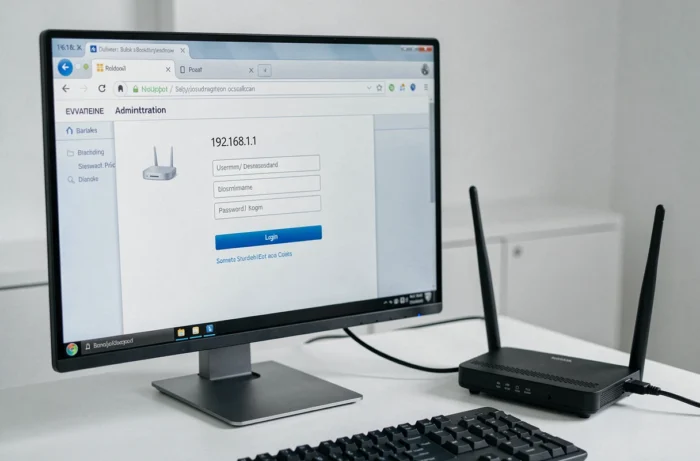
Once the correct address is entered in the browser’s address bar (not in the Google search bar, which is a common mistake), a login window appears. It asks for a username and password.
Default Credentials According to French Boxes
The majority of boxes from French operators come with pre-filled credentials. For Orange Liveboxes, the default password is found on the label stuck under the box or in the activation mail. At SFR, the web interface asks for the administration password visible on the box’s label.
- Orange Livebox: the admin username is often pre-filled, the password is on the box label or in the customer area
- Bbox Bouygues Telecom: access is via 192.168.1.254 with the credentials indicated on the box or in the mobile app
- Freebox: management is done through Freebox OS (mafreebox.freebox.fr), with a password set during the first activation
- SFR Box: the address varies by model (192.168.1.1 or 192.168.0.1), the password is on the label
Lost or Changed Password
If the default password has been changed and no one remembers it, hardware reset remains the most reliable solution. A Reset button, often recessed at the back of the router, must be held down for about ten seconds with a paperclip. The router will restart with its factory settings, including the original credentials.
Warning: this operation erases all custom settings (Wi-Fi network name, Wi-Fi password, port forwarding, MAC filtering). Note your settings before proceeding if possible.
Connection Errors to the 192.168.1.1 Interface: Quick Diagnosis
The page does not display, the browser returns a message “unable to access the site,” or the connection hangs indefinitely. Several causes consistently arise.
The Ethernet cable resolves most access failures. An unstable Wi-Fi connection or a device connected to a repeater rather than the main box can prevent access to the interface. Plugging an RJ45 cable directly between the computer and the router eliminates this variable.
Another trap: some browsers automatically add “https://” in front of the address. However, many routers only use the unencrypted HTTP protocol for their local interface. Explicitly type http://192.168.1.1 in the address bar. If the browser displays a security warning related to the certificate, this is normal for a local interface: you can proceed.
Also, check that no VPN is active on your device. A VPN redirects network traffic to a remote server and prevents access to local IP addresses. Temporarily disable it before trying again.
Cyber Resilience Act and Router Interface Security
The Cyber Resilience Act (Regulation (EU) 2024/2847), which came into effect on December 10, 2024, changes the game for router manufacturers. This European regulation requires that all digital products, including home routers and boxes from internet service providers, meet a cybersecurity baseline upon their market release.
Specifically, administration interfaces accessible via 192.168.1.1 must be delivered without known exploitable vulnerabilities, with a secure default configuration and a minimized attack surface. Manufacturers will also be required to provide free security updates for several years after commercialization.
The regulation also provides for a public channel for coordinated vulnerability disclosure. Security researchers will be able to report flaws in a router’s web interface through a regulated process, which should expedite fixes.
For users, this means that identical default passwords across all models in the same series will gradually disappear. New routers will come with unique credentials per device, and interfaces will force a password change upon first login. Full obligations will apply to manufacturers starting September 2026.
Configuring a router via 192.168.1.1 remains an accessible task as long as three points are checked before starting: the correct gateway address, the correct credentials, and a direct wired connection. The rest, including the long-term security of the interface, will increasingly be managed by European regulation and automatic updates from manufacturers.