
What slideshow format captures the attention of children and adults at a birthday party? The answer depends less on the chosen software than on the raw materials used: photos, drawings, the child’s voice, music. A successful slideshow relies on a precise balance between duration, transition rhythm, and variety of integrated content. This article compares the approaches that work and those that bore, backed by data.
Digitized drawings or photos alone: how mixing media changes things
Most birthday slideshows consist of a sequence of classic photos. This approach produces a monotonous result as soon as the number of images exceeds fifteen.
Photobox has been recommending for several years to scan or photograph children’s drawings, then combine them with family photos and short anecdotes. The result is a medium that the child enjoys revisiting long after the party.
Specifically, alternating photos and scans of drawings breaks the visual monotony of a slideshow. The first stick figure drawn with a marker, a LEGO castle sketched on an A4 sheet, a card made for the teacher: these elements tell a story that photos alone cannot convey. Add a caption under each drawing featuring the child’s exact words, and the slideshow becomes a narrative object.
To go further in preparation, you can create a birthday slideshow with Foodies and Family by following a step-by-step method tailored for beginner parents.
| Content Type | Visual Engagement | Preparation Effort | Memory Effect |
|---|---|---|---|
| Photos only | Medium (quick fatigue) | Low | Standard |
| Photos + digitized drawings | High | Moderate (scanning) | Strong |
| Photos + drawings + child’s voice | Very high | Longer (audio recording) | Very strong |
The table speaks for itself: each additional layer of content increases the emotional value of the slideshow without multiplying viewing time.
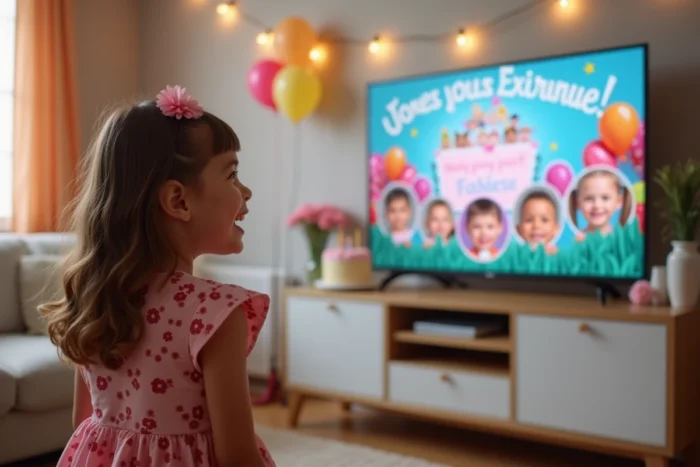
Birthday slideshow: the annual timeline rather than a one-off montage
A common pitfall is treating the slideshow as a disposable object, made the day before the party and never revisited. Specialized resources on birthday rituals (notably Baby Journal) encourage a different approach: create an annual marker that enriches each year.
The principle is simple. For each past birthday, you integrate into a dedicated sequence the child’s height on that date, their current interests, a signature phrase, and a wish recorded in their voice. This ritual transforms the slideshow into a family documentary.
What an effective annual sequence contains
- A photo of the child in the same pose each year (in front of the same door, for example) to visualize physical growth
- A drawing or artistic creation representative of the past year, digitized in high resolution
- An audio clip of a few seconds where the child answers a recurring question (“What do you want to be when you grow up?”)
- An anecdote written by a parent, displayed as text on a simple slide
By accumulating these sequences, the slideshow projected during the sixth birthday already contains five time capsules. The effect of progression year after year evokes an emotion that isolated photos do not generate.
Rhythm and duration of the slideshow: thresholds not to exceed
An overly long slideshow loses its audience, especially when that audience is between four and ten years old. Most editing software offers transitions of three to five seconds per slide, but this default setting does not suit all content.
Slides containing text (captions, anecdotes) require a longer display time than pure photos. In contrast, a series of action photos (games, races, funny faces) benefits from a quick succession, timed to an upbeat piece of music.
Music and transitions: adapting the tempo to the content
The choice of music conditions the perceived rhythm of the slideshow. Slow music over dynamic photos creates an unpleasant mismatch. Conversely, a fast piece over posed portraits gives the impression of a haphazard montage.
The most reliable method is to divide the slideshow into two or three distinct blocks:
- A calm opening block (soft music, baby photos, tender drawings) to set the mood
- A central rhythmic block (upbeat music, party photos, short videos of funny moments) to maintain attention
- An emotional closing block (acoustic music, timeline sequence, voice message from the child) to leave a lasting impression
Three blocks are sufficient for a slideshow lasting five to eight minutes. Beyond that, attention wanes, even among adults.
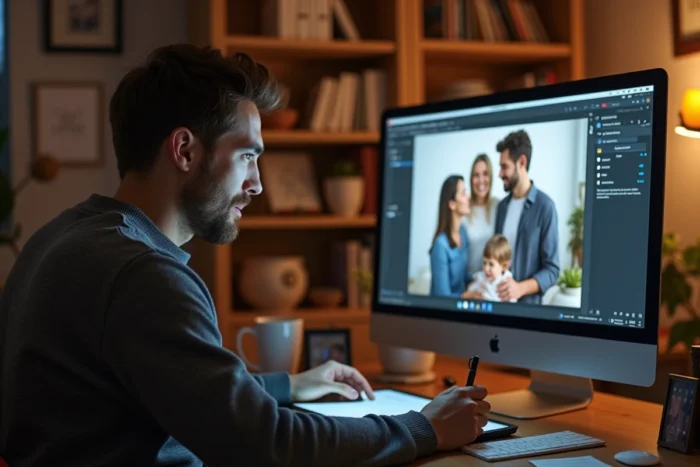
Slideshow software for children: what distinguishes free tools from paid ones
Free templates from Canva allow you to create a birthday slideshow in just a few minutes. The templates are visually appealing, but the animation options remain limited: basic transitions, no fine synchronization with the music.
SmartSHOW 3D, mentioned by several specialized sites, offers over 200 templates and advanced transition effects. The software runs on Windows and targets both beginners and experienced users. The difference mainly lies in audio management: synchronizing transitions to the strong beats of a piece radically changes the final output.
The main selection criterion remains the nature of the content. For a slideshow composed solely of photos with text, a free online tool is sufficient. As soon as you integrate video clips, voice recordings, or animations on digitized drawings, dedicated software offers a level of control that web platforms do not allow.
The most memorable slideshow is not the one that uses the most expensive software, but the one that mixes content that no one else has: the child’s voice at three years old, their first family drawing, the ritual photo in front of the front door. These raw materials are worth more than any transition effect.